Questarr

A video game management application inspired by the -Arr apps (Sonarr, Radarr, Prowlarr…) and GamezServer. Track and organize your video game collection with automated discovery and download management.












⭐ Star us on GitHub — your support motivates us a lot! 🙏😊




Table of Contents
List of features
| Feature | Description |
|---|---|
| Backlog management | Track game status, ratings, notes, and your play journal. Use Backlog roulette to pick a game from Library or Playing. |
| Game Discovery | Browse IGDB, RSS, and xREL.to, manage ratings and visibility from game details, sync your Steam wishlist, or discover games on disk with Library Import. |
| Search & Filter | Find games by genre, platform, and keyword, with automatic search until a release is found, plus release blacklisting and preferred release groups/platforms. Settings → Appearance → Platforms scopes the app to your chosen platforms, with optional filters to hide shelved/owned games and age-restricted or erotic content. |
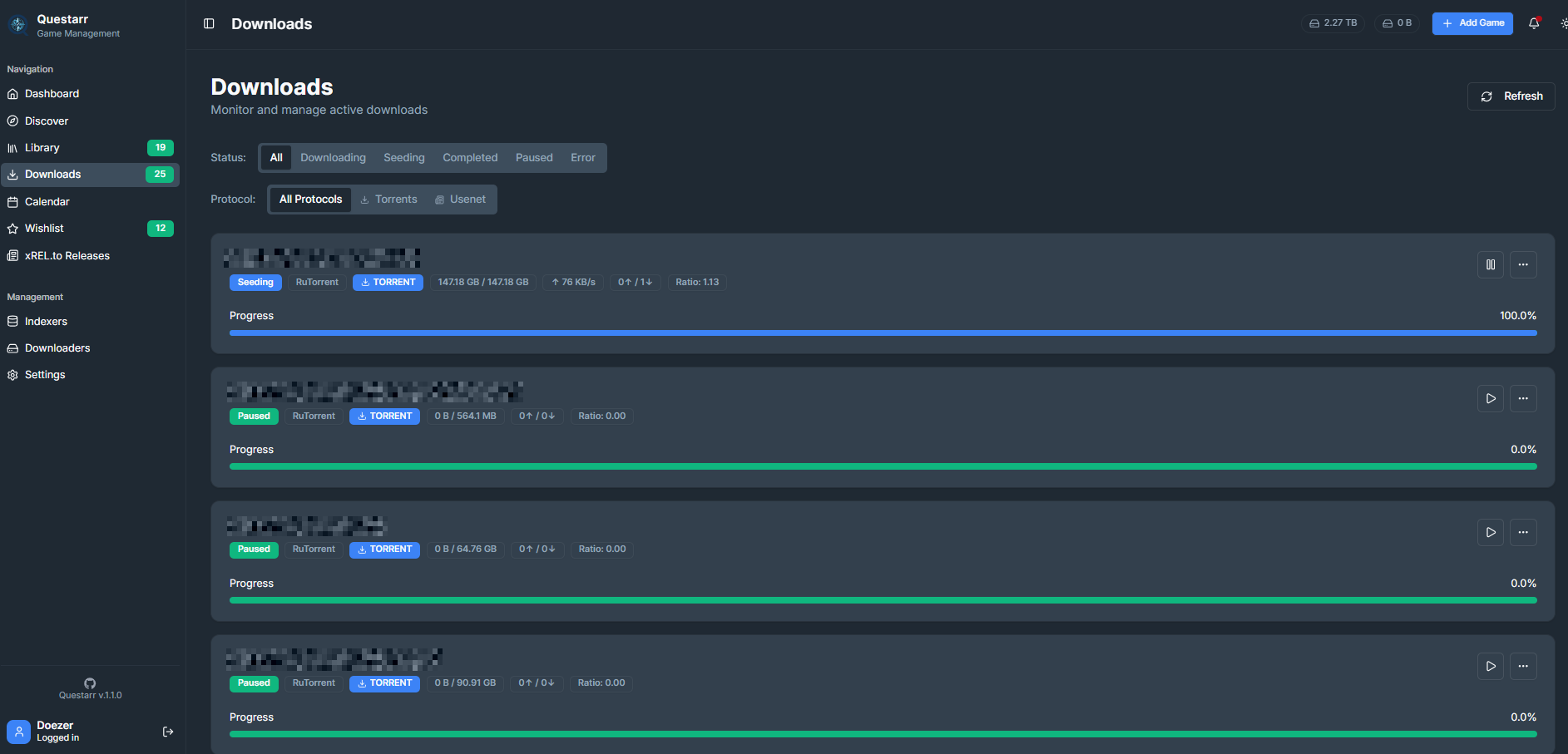
| Download Management | Automate downloads and library imports, with archive updates that preserve unrelated installed files, manual review, optional security scanning, and experimental AI matching. |
| Real-time Notifications | Choose in-app and Apprise alerts, including update controls for Shelved and Completed games. |
| Rich Game Metadata | Details enriched with IGDB, Steam, PCGamingWiki, and NexusMods, including trending mods where available. |
| Statistics | Visualize collection statistics with Discord sharing support. 🚧 |
| Security Focused | General security hardening, SSL support, and OpenSSF certified — see SECURITY.md for the full process. |
| Integrations | One-click install on UNRAID, CasaOS, Umbrel and Cosmos Cloud, a Home Assistant add-on, a Windows installer, and a Helm chart for Kubernetes, plus a Playnite extension to sync your library and request games from the couch. 🚧 |
| Design | Clean, minimalist, dark-first UI built with mobile usage in mind. |
Supported Indexers/Downloaders
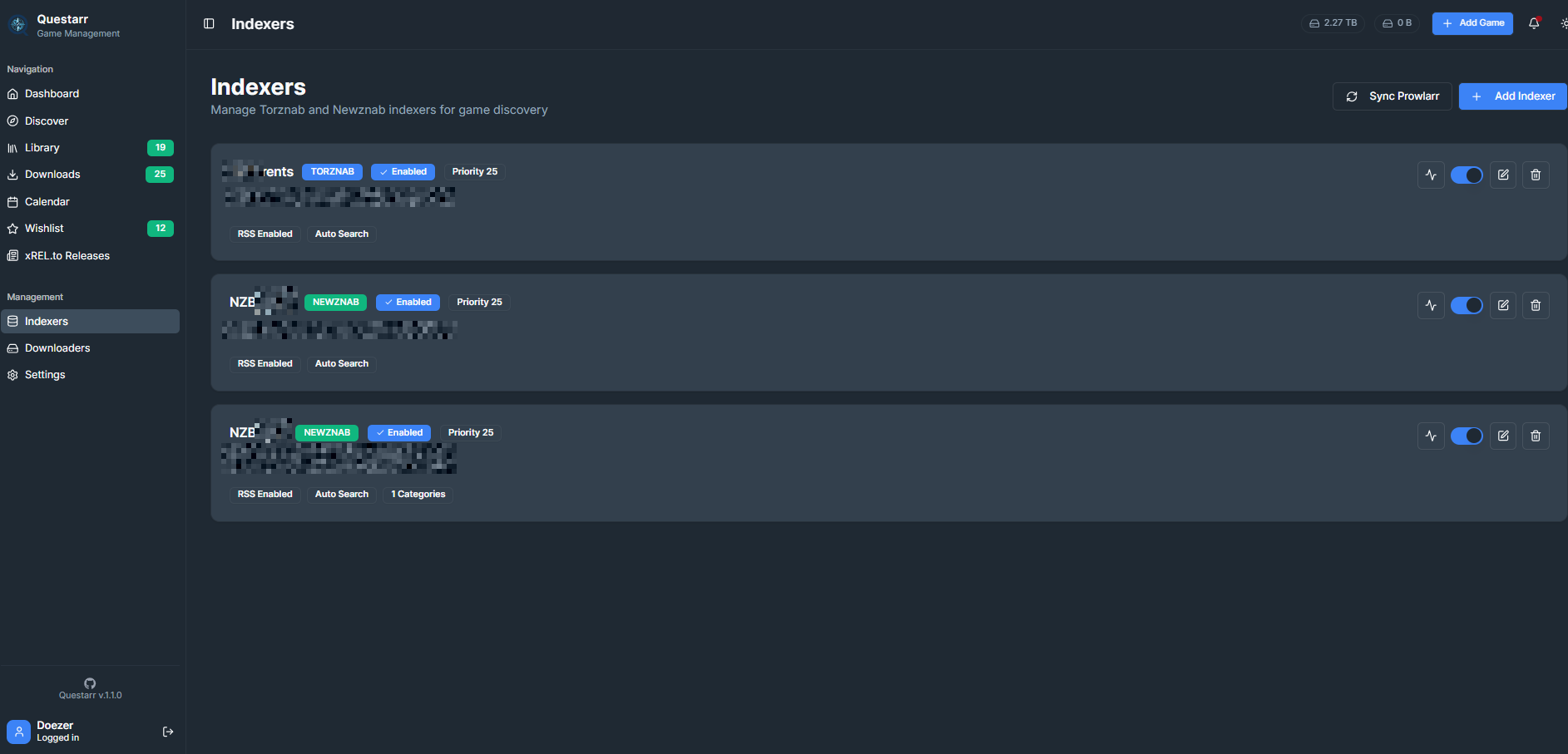
- Sync indexers from Prowlarr.
- G4u.to: the site offers an API to VIP members, which can be used in Questarr.
| Indexers | Downloaders |
|---|---|
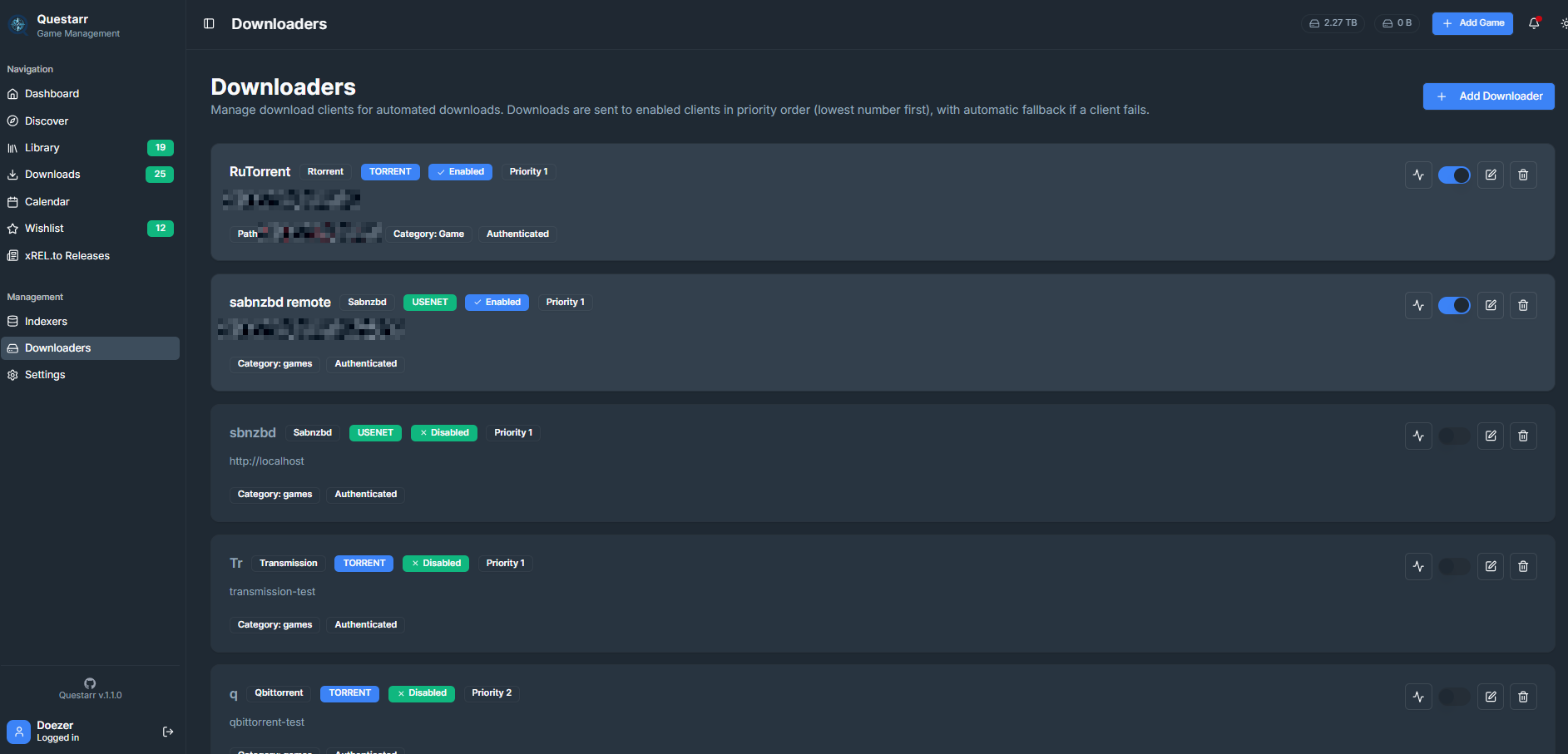
| Torznab protocol (Torrent) | - qBittorent - Transmission - rTorrent - Deluge - Synology Download Station |
| Newznab protocol (Usenet) | - Sabnzbd - Nzbget |
| G4U.to | Same as Newznab |
Installation
Docker is the easiest way to deploy Questarr with all dependencies included.
Since 1.5.0, native Windows installation is also supported via the Windows installer.
Questarr uses SQLite by default, with optional PostgreSQL support. Persist the
data volume to retain the SQLite database, configuration, and encryption keys.
Supported architectures: released Docker images are published for linux/amd64 and linux/arm64, so Questarr runs on a Raspberry Pi 4/5 with a 64-bit OS, other 64-bit ARM SBCs, and ARM-based NAS boxes as well as on x86 hardware. Docker selects the right architecture automatically — the commands below are identical on every platform. (32-bit ARM, e.g. armv7/a 32-bit OS on Raspberry Pi 3 and earlier, is not supported. The Home Assistant add-on is amd64-only.)
Option 1: One-liner (Simplest but minimal)
docker run -d -p 5000:5000 -v ./data:/app/data --name questarr ghcr.io/doezer/questarr:latest
Option 2: Docker Compose (more detailed)
-
Use the
docker-compose.ymlfile from the repo or create a minimal one:services: app: image: ghcr.io/doezer/questarr:latest ports: - "5000:5000" volumes: - ./data:/app/data environment: - SQLITE_DB_PATH=/app/data/sqlite.db restart: unless-stopped -
Start the application:
docker compose up -d -
Access the application: Open your browser to
http://localhost:5000 -
Optional — use Postgres instead of SQLite:
Questarr uses SQLite by default and needs no database configuration. If you would rather run it against Postgres, use the bundled compose file:
POSTGRES_PASSWORD=$(openssl rand -hex 32) docker compose -f docker-compose.postgres.yml up -dKeep whatever password you pick — the same value must be supplied on every restart, and it must be safe to embed in a connection URL (a hex string from
openssl rand -hex 32always is).Switching an existing SQLite install to Postgres does not move your data — run
scripts/sqlite-to-pg.tsto bring your library across. See docs/DATABASE.md.
Windows (installer)
Install via the Windows installer (.exe)
Prefer running Questarr as a native Windows service instead of Docker? Download `QuestarrSetup-Deploy as a Proxmox LXC container — no Docker
Run this **on your Proxmox VE host**, as `root`, to create an LXC container with Questarr installed and running as a `systemd` service: ```bash bash -c "$(curl --fail --silent --show-error --location --proto '=https' --proto-redir '=https' https://raw.githubusercontent.com/Doezer/Questarr/main/scripts/proxmox/questarr-lxc.sh)" ``` The script picks the next free container ID, downloads a Debian template if needed, creates an unprivileged container, builds Questarr from source, and prints the URL to open. Every prompt has a default, so you can accept them all and be done in a few minutes. Update later with `pct execInstall via Community Applications
Questarr is available in the Unraid **Apps** tab via Community Applications: 1. Open the **Apps** tab and search for **Questarr**, then click **Install**. 2. Set your **Data Path** (default `/mnt/user/appdata/questarr`), **PUID**/**PGID**, and ports (default `5000` HTTP, `9898` HTTPS if using it). 3. Optionally set **Library Path** to the same root your download client(s) write into (e.g. `/mnt/user/data`) if you want Questarr to move completed downloads into your game library. This host path is mounted at `/data` inside the container, so add a mapping under **Settings → Path Mappings** with **Local Path** set to `/data` and **Remote Path** set to the exact path your download client reports for that root. Leave Library Path blank if you manage imports manually. 4. Apply, then open `http://Install via Custom Install (AppFile)
1. Open the **App Store** and click **Custom Install**. 2. Click the **import** icon (top right) and paste this URL: `https://raw.githubusercontent.com/Doezer/Questarr/main/casaos/docker-compose.yml` 3. Review the mounts — by default `/DATA/AppData/questarr` holds Questarr's data and `/DATA/Downloads` is mounted at `/data` so Questarr can import finished downloads. If you keep that second mount, add a matching entry under **Settings → Path Mappings**. 4. Click **Install**, then open Questarr from the CasaOS dashboard (port `5000`).Install via Community App Store
1. In umbrelOS, open the **App Store**. 2. Click the **⋮** menu (top right) → **Community App Stores**. 3. Add this repository URL: `https://github.com/Doezer/Questarr` 4. Open the **Doezer** store and install **Questarr** (app ID `doezer-questarr`), then open it from your dashboard (`http://umbrel.local:5000`).Install as a ServApp
1. Open **Market Place → Custom Install** (or **Servapps → Add**). 2. Paste this URL: `https://raw.githubusercontent.com/Doezer/Questarr/main/cosmos/questarr.cosmos-compose.json` 3. Fill in the install form: **Data folder**, optional **Library folder** (the root your download client writes into, mounted at `/data`), and `PUID`/`PGID`. 4. Install. Cosmos creates the route `questarr.Install with the bundled Helm chart
A Helm chart lives in [`charts/questarr`](charts/questarr). It is not published to a Helm repository yet, so install it from a clone: ```bash git clone https://github.com/Doezer/Questarr.git cd Questarr helm install questarr charts/questarr --namespace questarr --create-namespace ``` Then port-forward (or enable the Ingress) and open the UI: ```bash kubectl port-forward -n questarr svc/questarr 5000:5000 ``` Questarr keeps its state in a single SQLite database on a ReadWriteOnce volume, so the chart never runs more than one replica. See [`charts/questarr/README.md`](/Questarr/charts/questarr/) for the full option reference — persistence, media mounts, secrets, Ingress and subdirectory deployments.Install as a Home Assistant add-on
You can install Questarr as a Home Assistant add-on from this repository: 1. In Home Assistant, open **Settings → Add-ons → Add-on Store**. 2. Click the menu (⋮) and choose **Repositories**. 3. Add this repository URL: `https://github.com/Doezer/Questarr` 4. Install the **Questarr** add-on and start it. 5. Open `http://👀 See the app in action
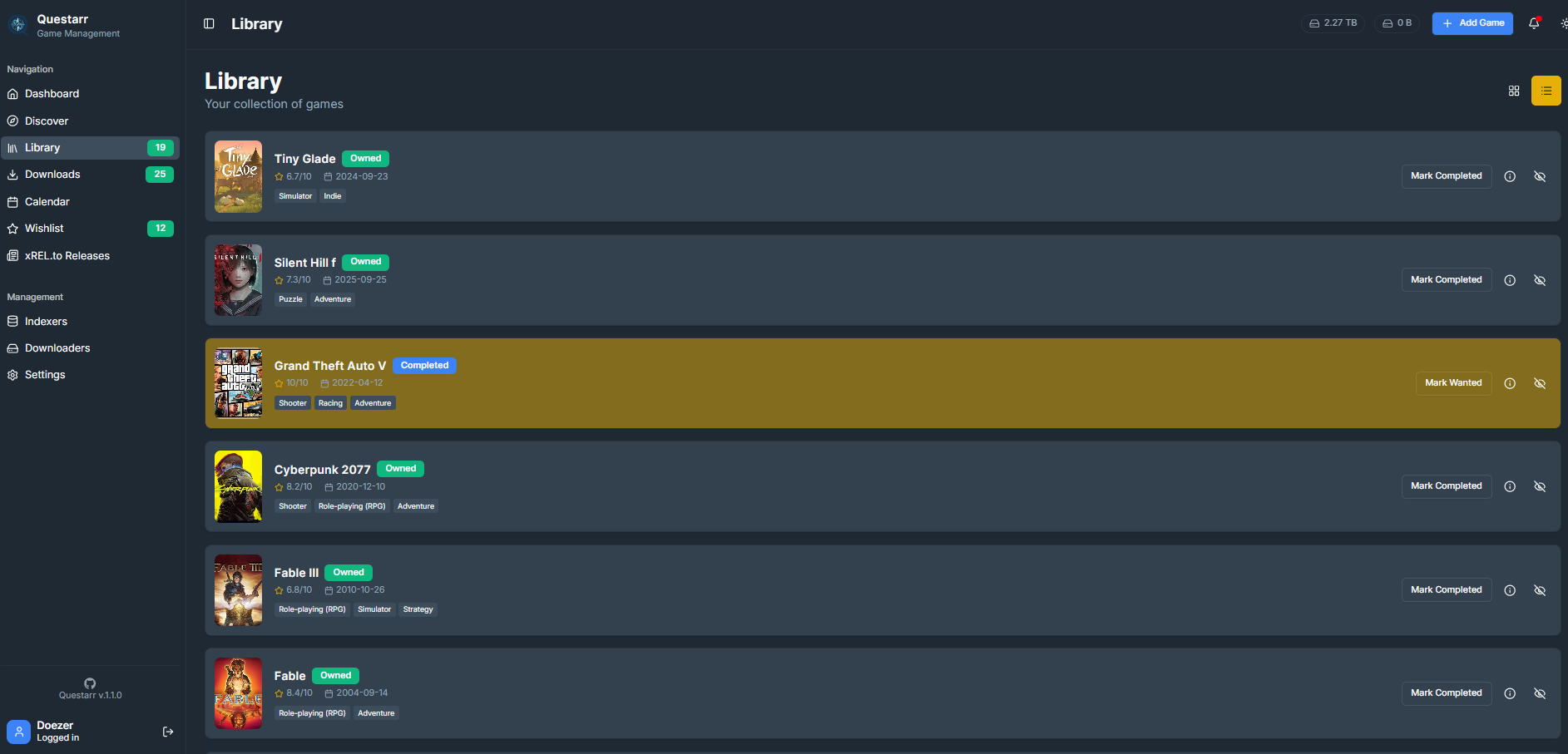
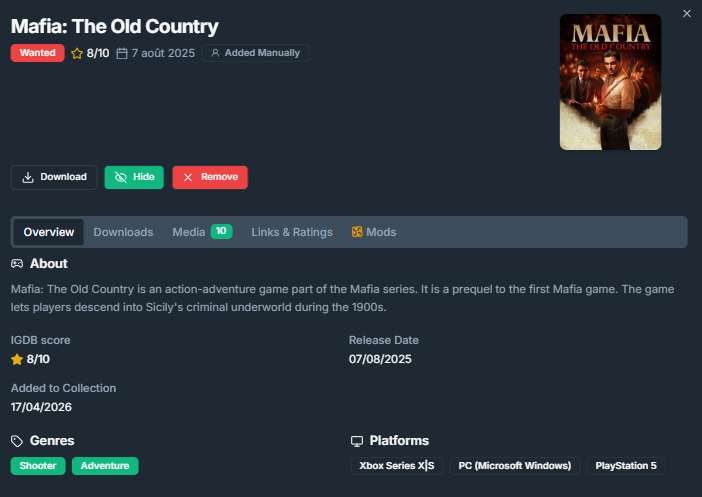
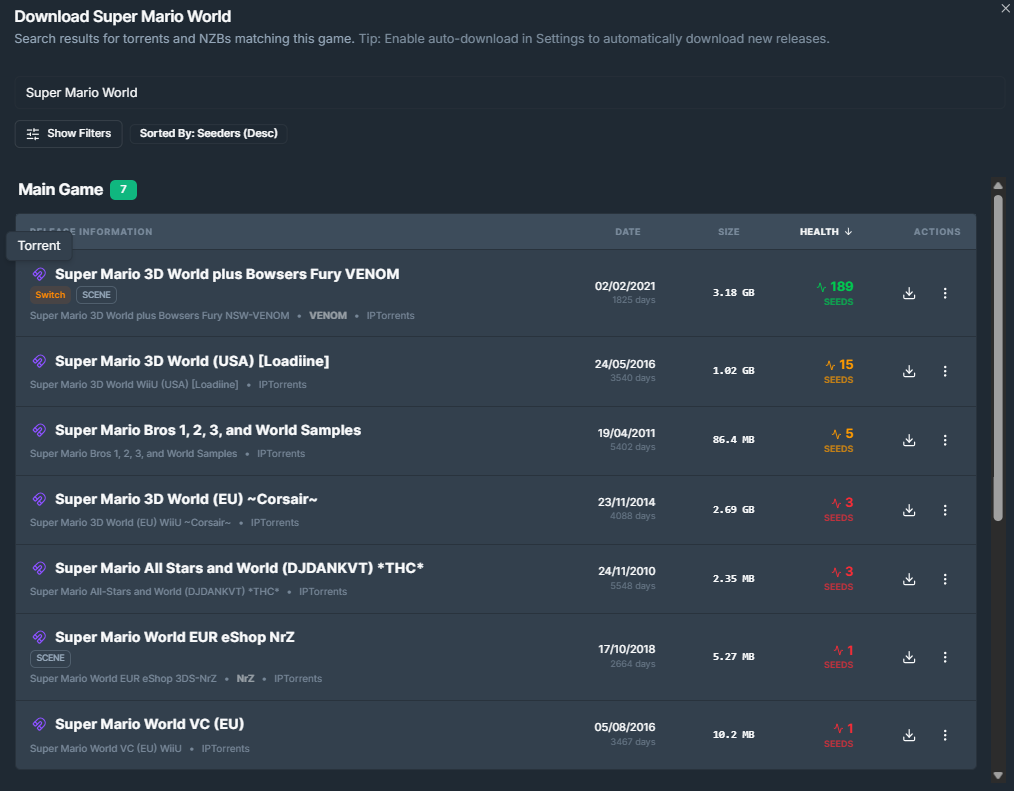
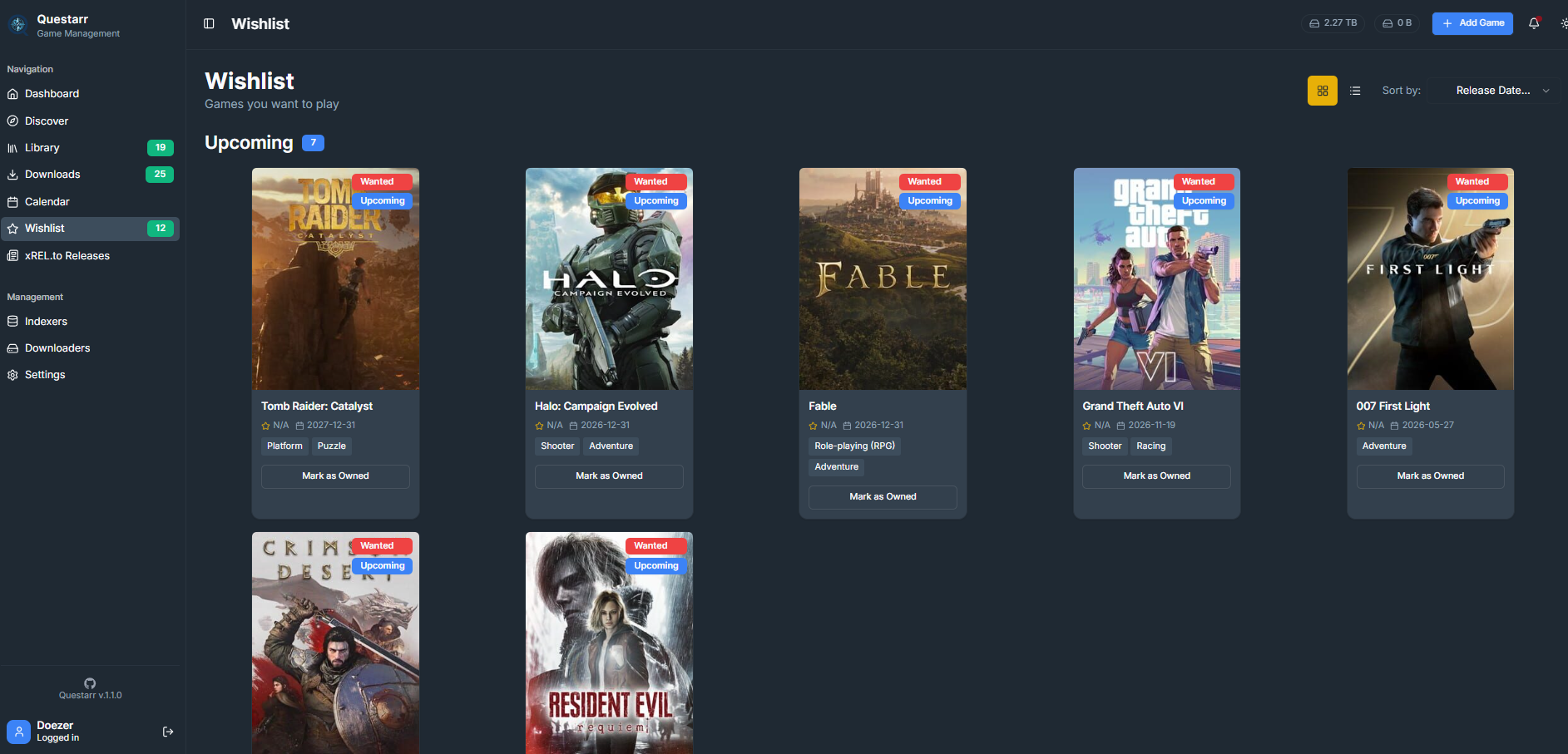
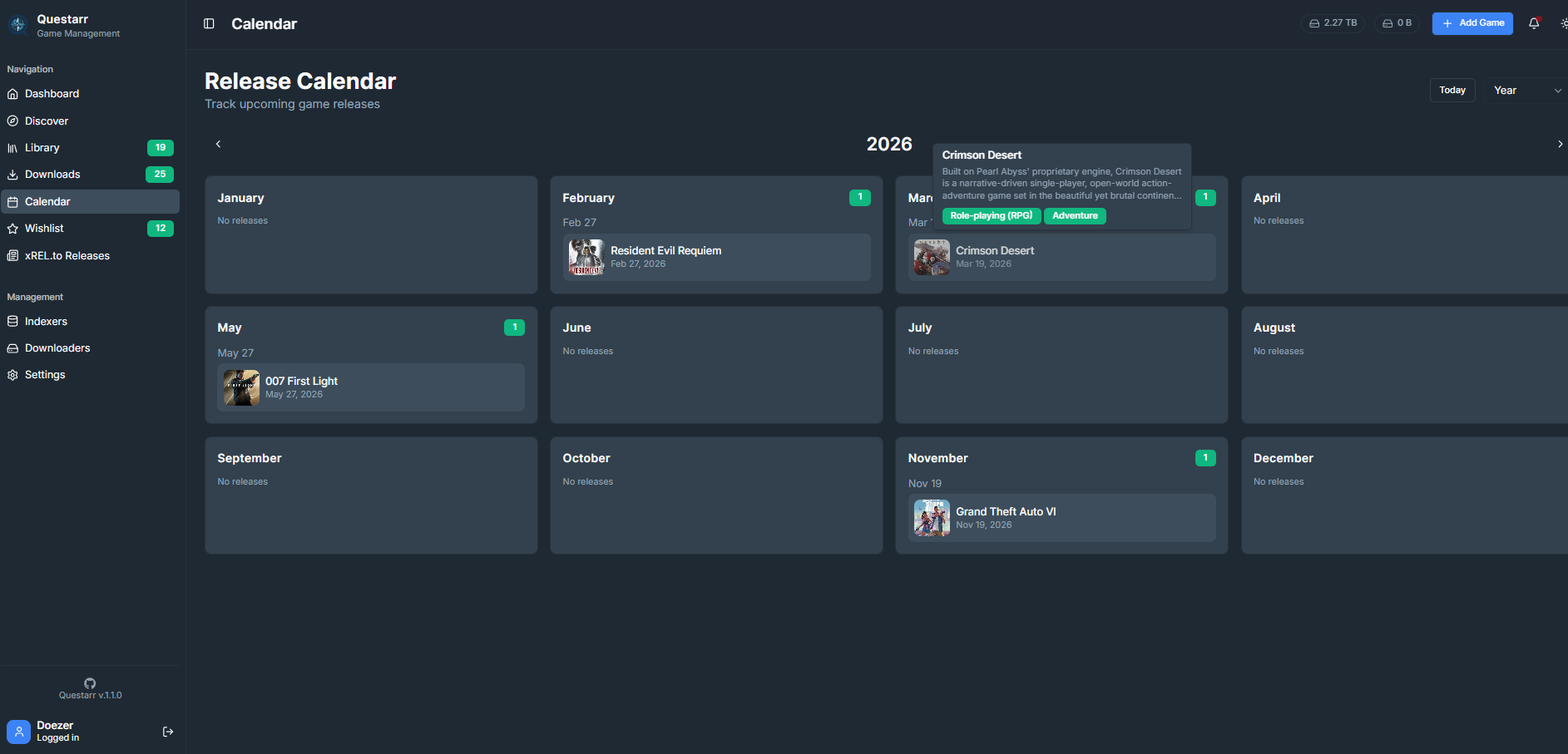
### Library Your central hub for recent activity, collection overview and downloading available games. Manage your owned and wanted games.
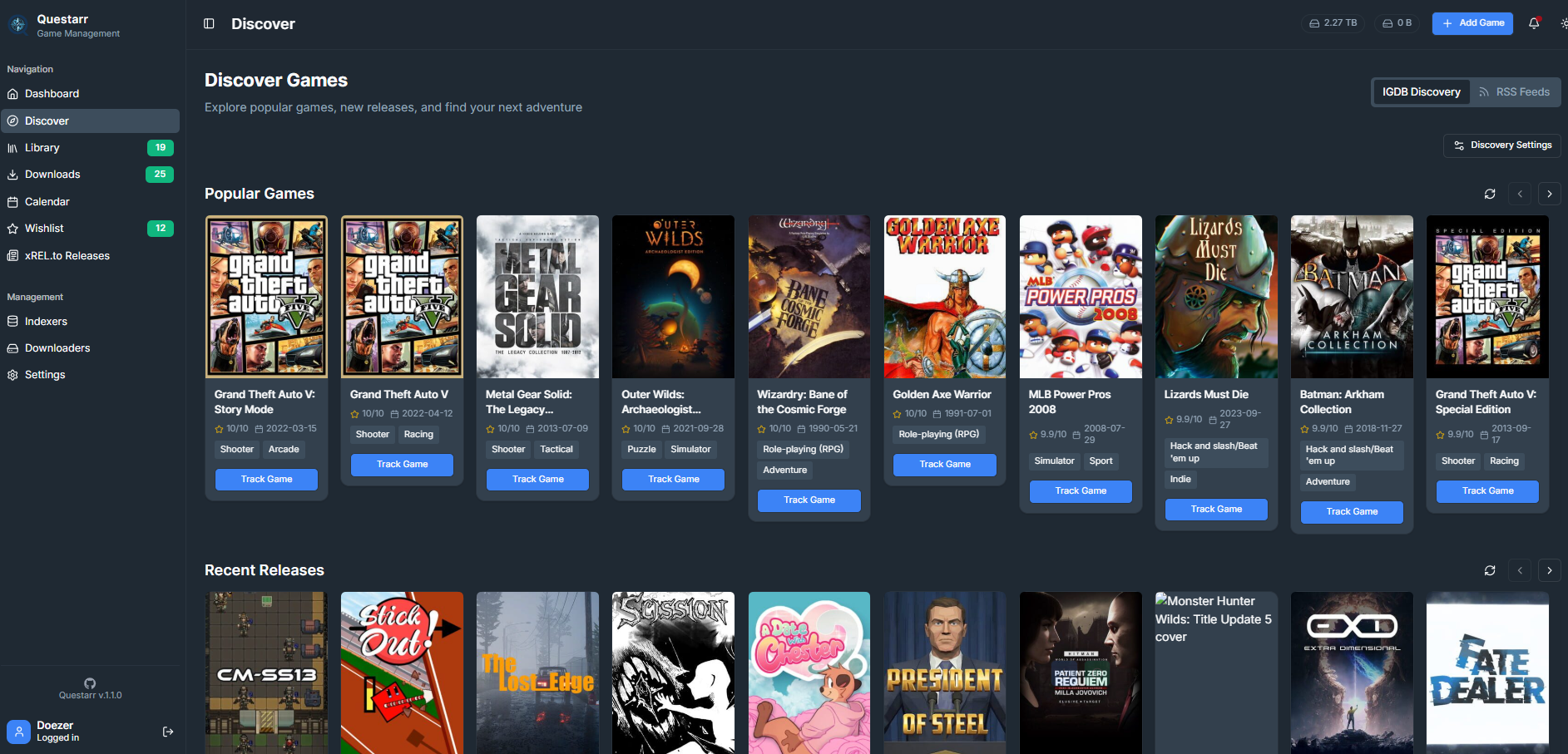 #### RSS & xRel.to feeds
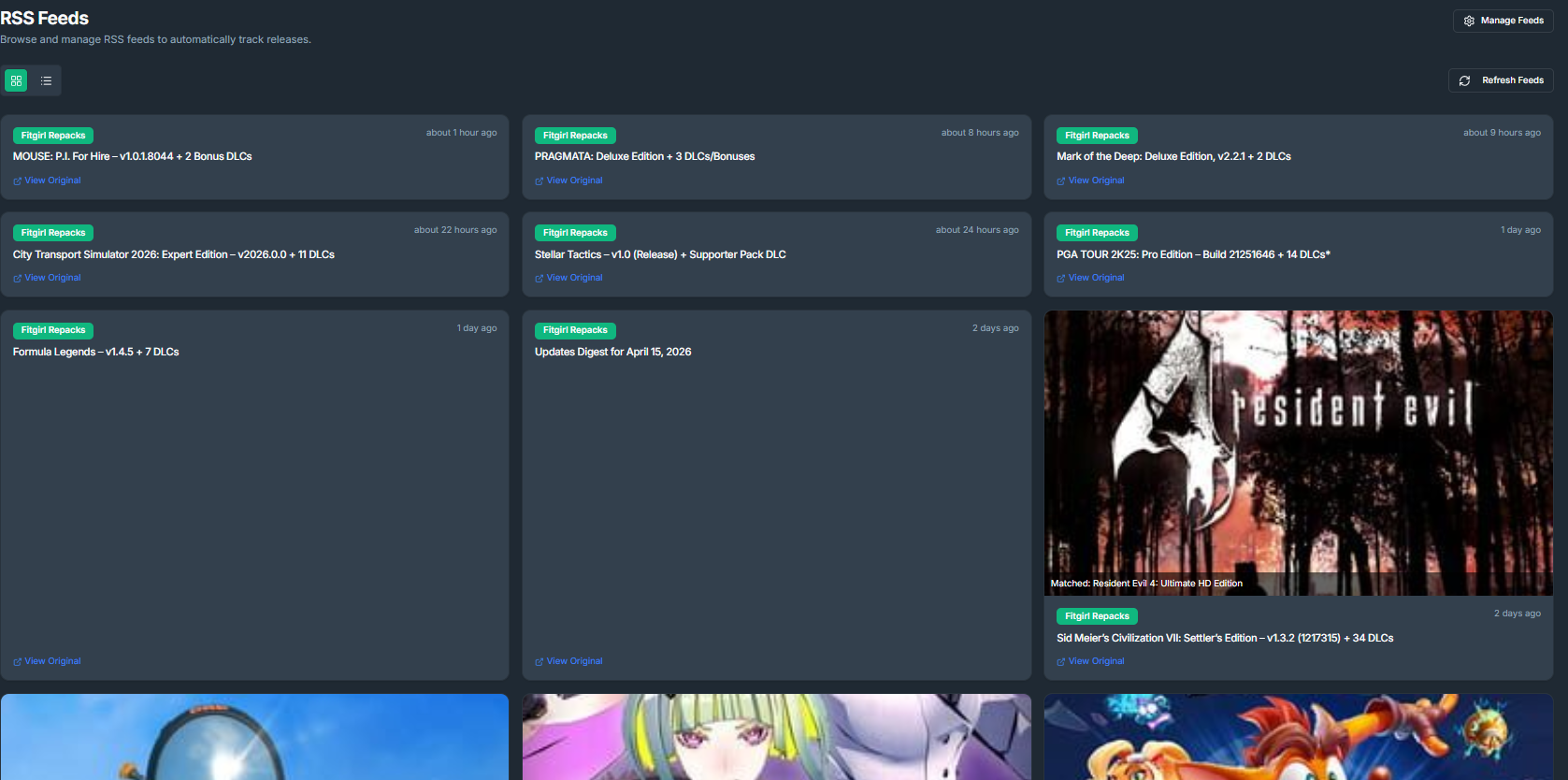
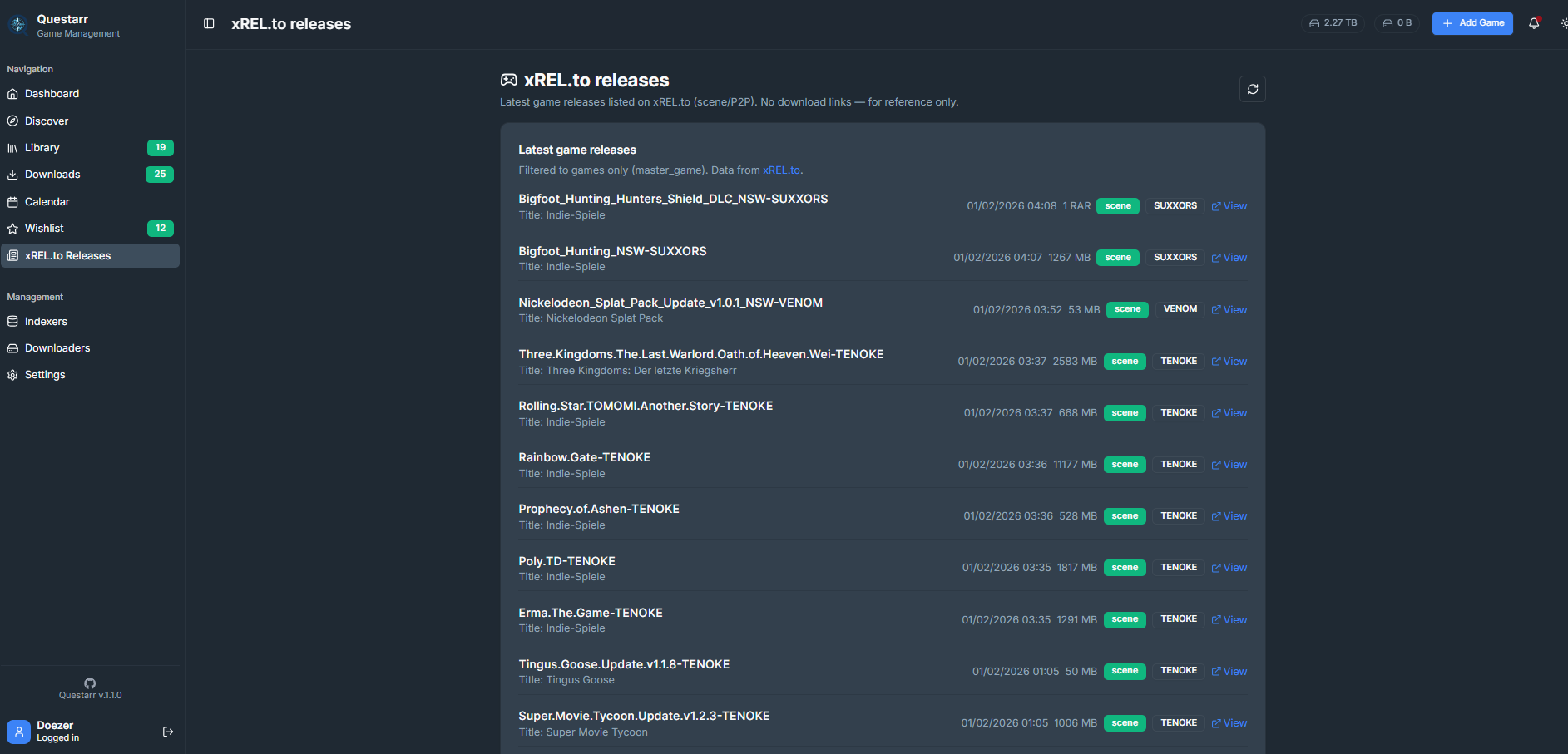
Discover releases through [RSS feeds](/Questarr/docs/RSS.html) and xREL.to, with IGDB matching.
#### RSS & xRel.to feeds
Discover releases through [RSS feeds](/Questarr/docs/RSS.html) and xREL.to, with IGDB matching.
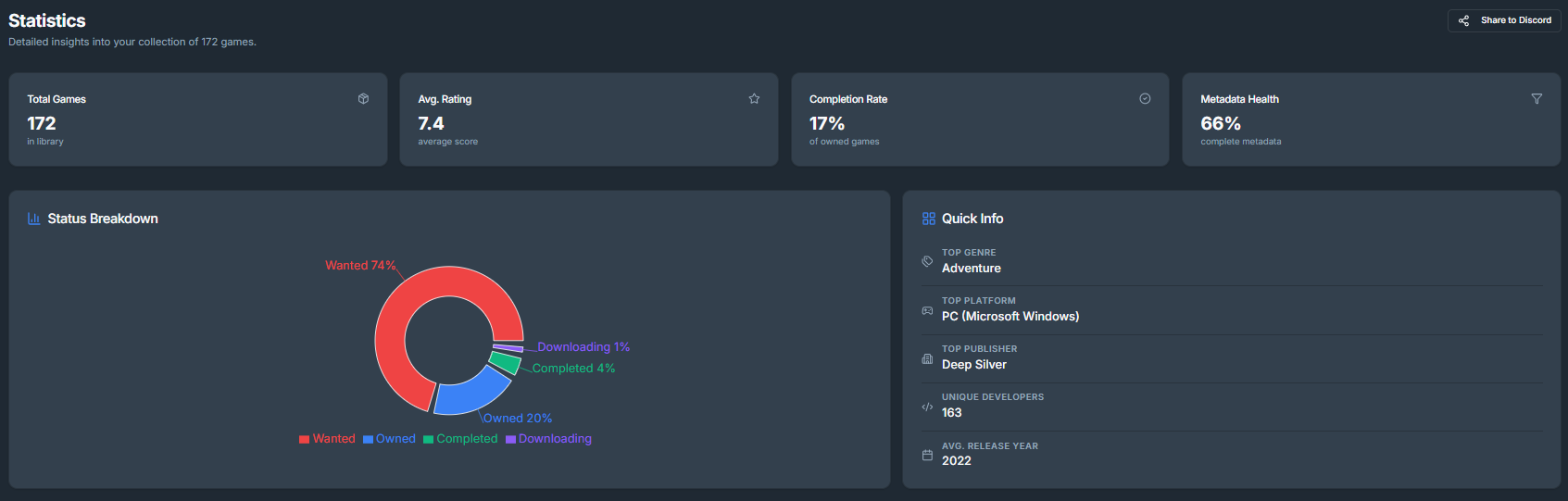
 ### Statistics
Check out your library statistics.
### Statistics
Check out your library statistics.
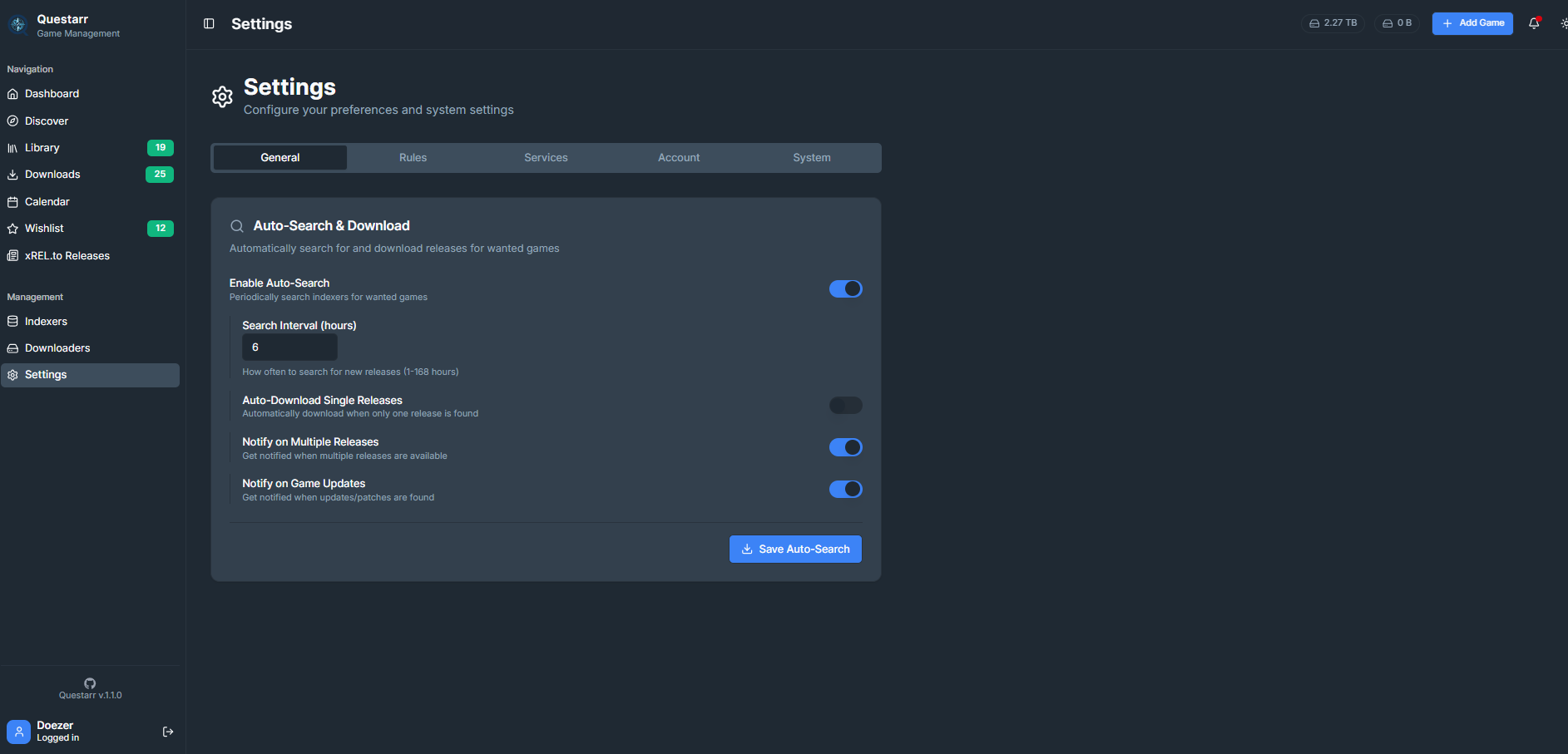
 ### Settings
Configure indexers, downloaders, and application preferences.
### Settings
Configure indexers, downloaders, and application preferences.